Opens in a new tab
Unser tolles Logo
EXPENSE TRACKER FOR IPHONE & IPAD

The expense tracker that never asks for your bank
Log income and spending yourself — in seconds. No bank linking, no account, no sign-up. Your financial data stays on your device.
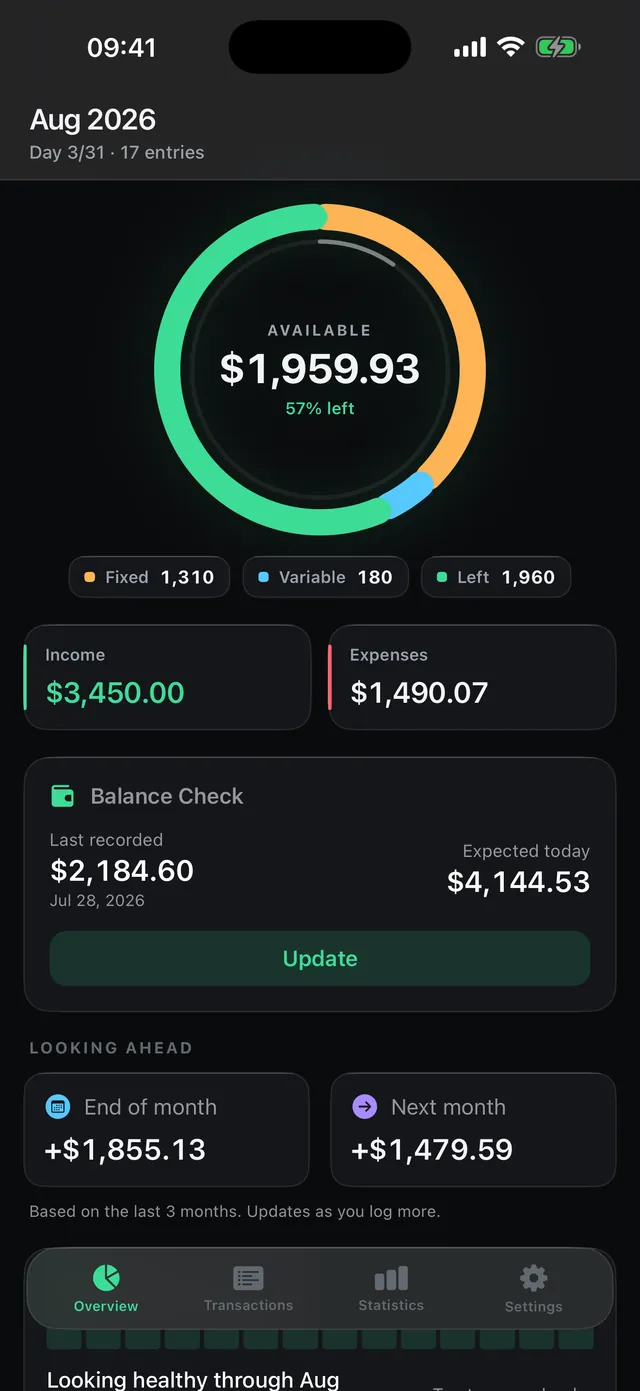
Good Spend dashboard with month ring, income, expenses and balance check
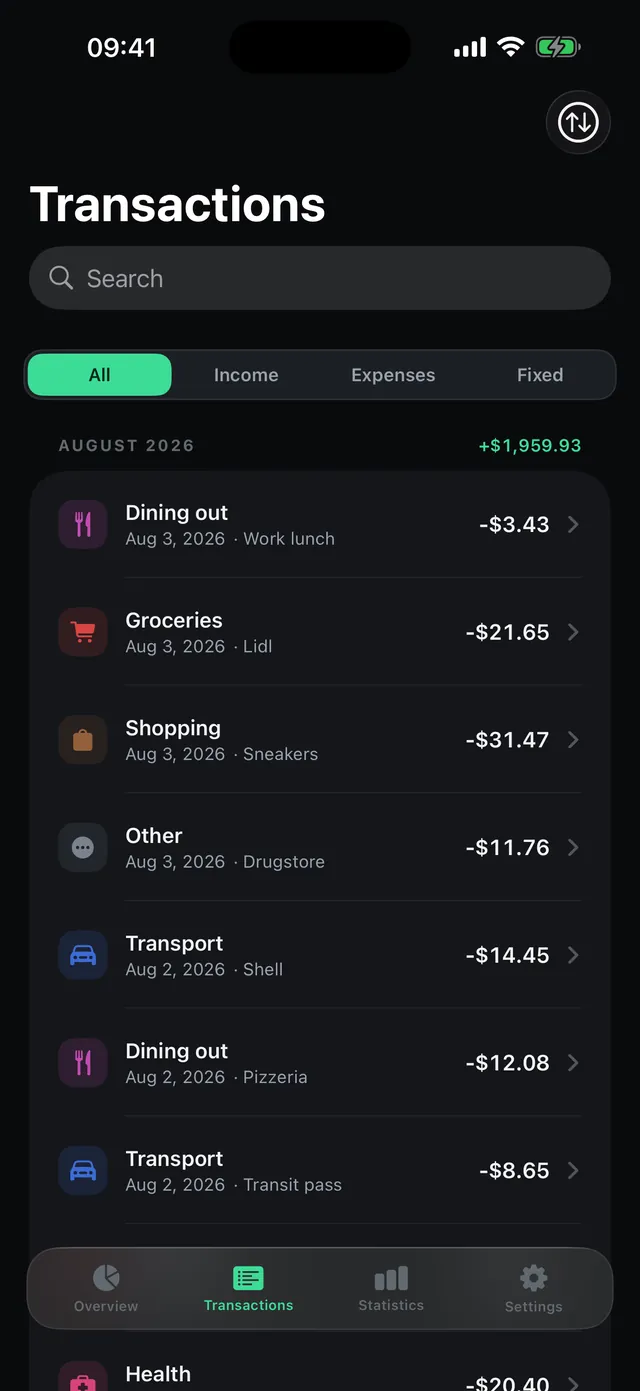
Good Spend transaction list with categories, filter and search
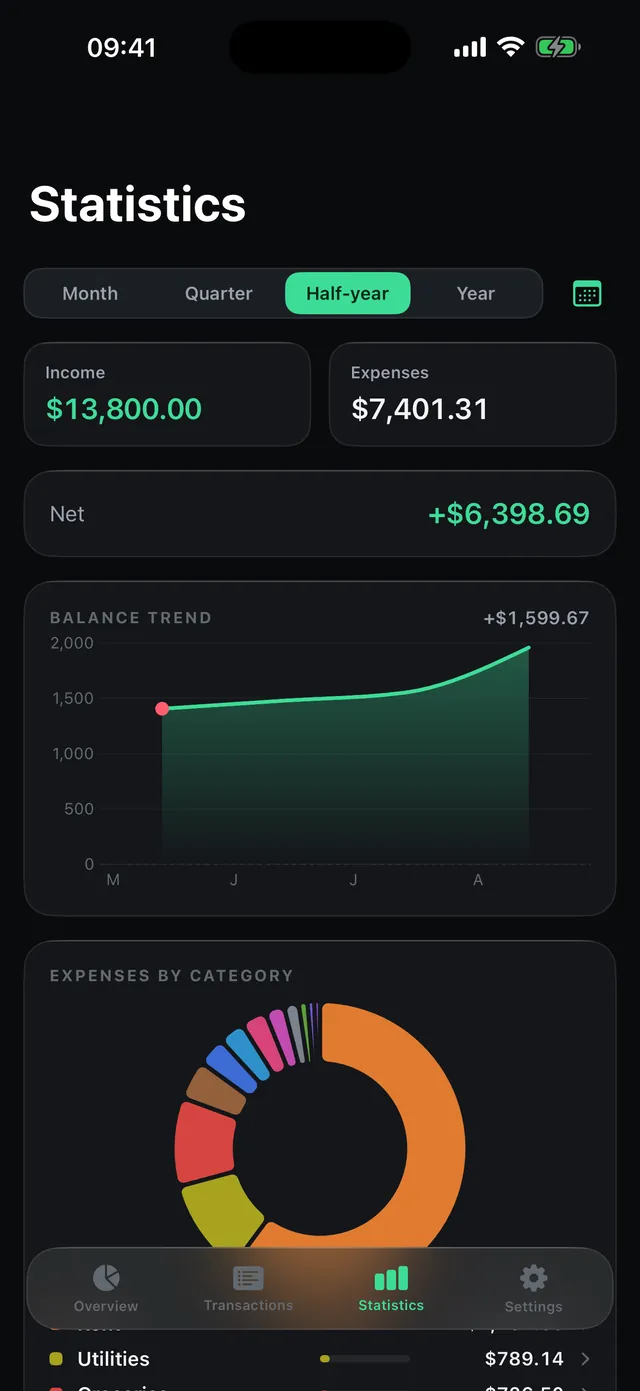
Good Spend statistics with balance trend and expenses-by-category donut
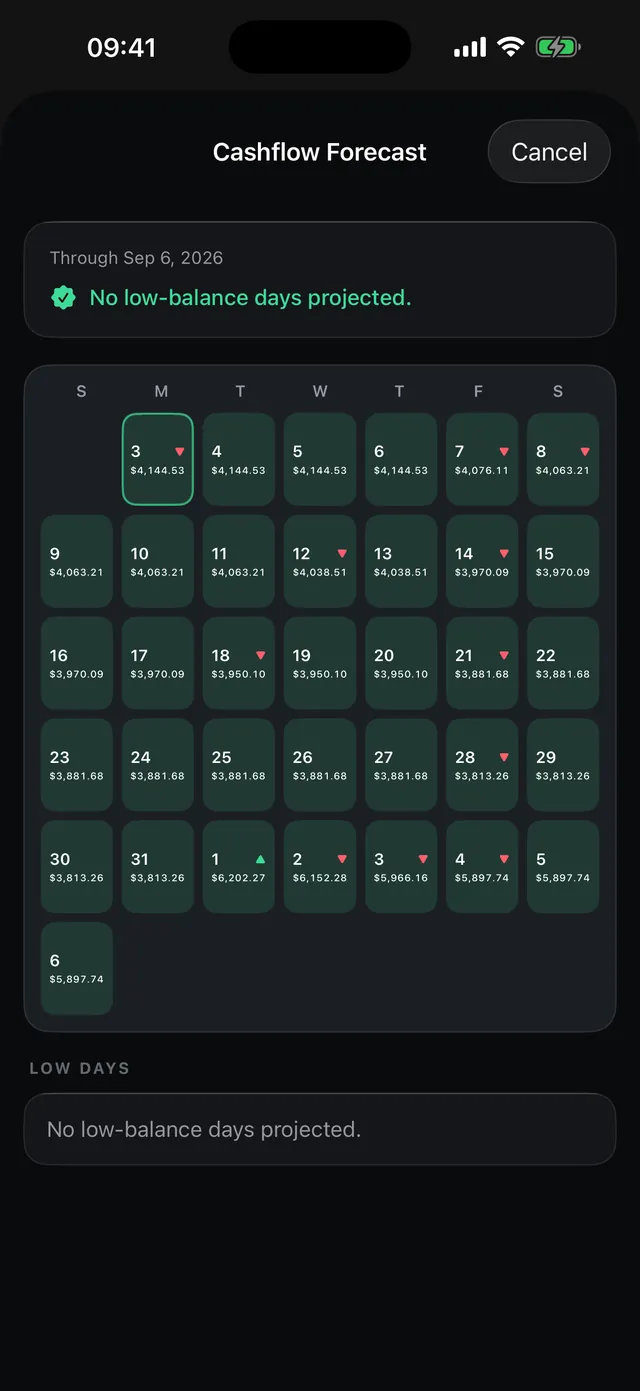
Good Spend cashflow forecast as a 35-day calendar

Everything an expense tracker actually needs

A month ring, not a wall of numbers

Fixed, Variable and Left as three arcs of one whole. One glance tells you what is still available this month.

Budgets per category

Set limits and get warned at 80% and 100%. The dashboard flags an overrun straight away.

A 35-day cashflow forecast

A calendar projects your daily balance from your recurring transactions. Pure arithmetic, no AI.

Receipt scanner, on device

Photograph a receipt and the amount and category are recognised locally. No photo ever leaves your iPhone.

Six home-screen widgets

Budget, Categories, Balance Check, Insight, Recent transactions and Forecast — right on your home screen.

Statistics you can tap

Bar chart per month, donut by category. Tap a slice to see the transactions behind it.

No bank login. Ever.

Most finance apps want your banking credentials, an account, and your transactions in their cloud. Good Spend does the opposite: you type it in yourself, and your entries stay on the device.

Typical finance apps
  • Bank login with your credentials
  • Account and sign-up required
  • Transactions on someone else's servers
  • Personalised ads with an advertising ID
Good Spend
  • No bank linking, ever
  • No account, no sign-up
  • Entries stay on your device
  • Ads without a profile, no advertising ID

Frequently asked questions about Good Spend

Does Good Spend need my bank login?
No — and it never will. Good Spend has no banking interface at all. You enter the amount, the category and optionally a note yourself; it takes a few seconds. Your credentials stay with your bank.
What does Good Spend cost?
Good Spend is free and has no subscription. The app is funded by adverts — non-personalised, without an advertising identifier, and your entries are never used for them. You can withdraw your consent at any time in Settings. If you would rather switch the adverts off entirely, remove them under Settings → Advertising with a one-off in-app purchase (€3.99 / $3.99) — it applies permanently on every device using the same Apple Account.
Does the app work offline?
Logging, statistics and the forecast run entirely without a connection. The internet is only needed if you turn on iCloud sync or when an advert is loaded.
Where is my data stored?
On your device, in the iOS sandbox. There is no Good Spend server and no account. If you enable iCloud sync, your data travels encrypted through your own Apple account — we have no access to it.
How does the cashflow forecast work?
It starts from your last recorded balance, adds everything you have logged since, then walks forward day by day adding your recurring transactions. The result is a 35-day calendar of your projected end-of-day balance — green, yellow or red by risk.
Can I export my data?
Yes, at any time as a versioned JSON file — for a backup or when moving to a new device. You can also delete everything from Settings.
Which devices does Good Spend run on?
iPhone and iPad from iOS 17, with optional sync through iCloud. The app ships in seven languages, switchable directly in Settings.
Still have a question? Write to us — we usually reply within 24 hours, directly and without a ticket system.

Take control of your spending — without handing over your bank

Good Spend is now on the App Store: month ring, budgets, receipt scanner, six widgets and the 35-day forecast. Manual entry, fully offline, no account.